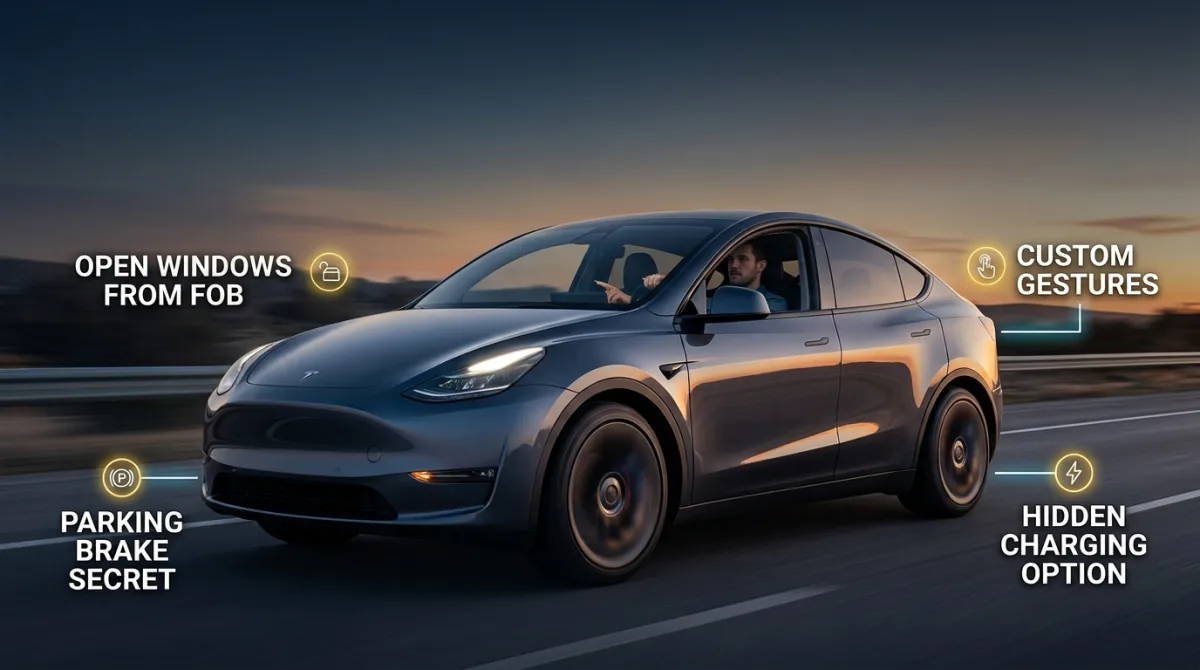
Your car is hiding features you already paid for. Most owners never touch them because the manual is 400 pages and the dealer never mentions them at handover. After reading this, you will be able to unlock hidden settings in your key fob, climate system, mirrors, gear selector and infotainment, plus a few tricks that work on many modern EVs through their touchscreen menus. Budget about 15 minutes with your car parked and the ignition on.
A quick note before we start: this guide covers low-voltage convenience features only. Nothing here involves the high-voltage traction battery. If a step ever asks you to touch orange cables or open a battery pack, stop and hand the car to a qualified technician.
What you need before you start
- Your owner's manual, either the paper copy or the PDF from the manufacturer's website.
- Your key fob and, if you have one, the spare.
- Your infotainment PIN if the car has one. Many brands require it to change vehicle settings.
- A phone with a notes app to log what you change, so you can undo it later.
- No account, subscription or dealer visit needed for most of these.
1. Roll down all windows from outside with the key fob
Hold the unlock button on your fob for three to five seconds. On many cars built since roughly 2005, all windows drop at once. This is gold on a hot day: you vent the cabin before you even open the door.
Why it matters: trapped heat in a parked car can push cabin temperatures well above outside air, and cracking the windows first cuts your air-conditioning workload.
Tip: hold the lock button the same way to close everything. If nothing happens, the feature may be disabled in the body control module menu, or your trim level may not have it. Check your manual under "convenience opening" or "comfort closing."
2. Program your mirrors to tilt down when you reverse
Select reverse, then use the mirror adjustment switch to dip the passenger mirror until you can see the rear wheel and curb. Many cars memorise that position against the seat memory button you used. Next time you engage reverse, the mirror dips automatically.
Why it matters: it stops you scuffing alloy wheels on kerbs, which is one of the most common and most annoying repair bills.
Tip: this usually only works if your car has memory seats. If you have a base model with manual mirrors, skip it.
3. Find your hidden valet and child-lock settings
Look for a lock icon inside the glovebox, or a setting in the infotainment under "vehicle" then "locking." Valet mode typically locks the trunk and limits speed or infotainment access. The rear child locks are physical: open the rear door and look for a small slot on the door edge, then turn it with your key or a flat screwdriver.
Why it matters: valet mode protects your belongings and your settings when someone else parks the car.
Tip: on EVs with a frunk, check whether valet mode locks that too. Some do, some don't. Test it before you hand over the key.
4. Use the one-touch lane-change and triple-blink indicator
Tap the indicator stalk lightly, without pushing it past the detent. Most cars since around 2010 flash three times and stop. Some let you change that to five or seven flashes in the infotainment under "lights" or "turn signals."
Why it matters: three blinks is often too few at motorway speeds. Five gives the car behind you more warning.
Tip: if the stalk feels the same either way, you have a car without this feature, or the setting is buried in a "personalisation" profile that resets with the key.
5. Set the climate to recirculate automatically
Find the recirculation button, usually a looped arrow icon. Many cars have an "auto recirculate" mode that closes the outside air flap when it detects stale or polluted air, then reopens it. Turn it on and leave it.
Why it matters: it cools the cabin faster on a hot day and keeps diesel fumes out in traffic.
Tip: don't leave recirculate on permanently in cold, damp weather. Windows fog up because the cabin air gets humid. Use the front demist button instead, which usually forces fresh air and air-conditioning together.
6. Unlock the hidden menus in your infotainment
Hold two buttons at once, often "menu" plus "seek up," or tap the version number in "settings" then "about" several times. Dealerships use these service menus. You can usually read software versions, check sensor status and sometimes reset the display.
Why it matters: knowing your software version helps when you book a service, and a display reset fixes a frozen screen without a workshop visit.
Tip: never change values you don't understand in a service menu. Write down anything you touch. If the screen goes blank, most systems recover after a full power cycle, which means switching the car off, locking it, and waiting a few minutes. For deeper electrical checks, our EV diagnostic and fuse guides walk through safe low-voltage testing.
7. Train the car to your driving position, then save it to the key
Adjust seat, mirrors and steering wheel, then hold the memory button labelled 1, 2 or 3 until it beeps. On some cars you can link that profile to a specific key fob, so the car recognises you as you approach.
Why it matters: if two people share the car, nobody has to readjust anything. The seat slides back for entry and returns to position when you start.
Tip: the "easy entry" seat slide is a separate setting in many cars. Look under "seats" or "comfort" in the vehicle menu.
8. Learn what your gear selector really does in neutral
In an automatic or EV, neutral isn't just for towing. Many cars let you shift to neutral and hold it for a car wash, or press a small release button near the shifter to move the lever when the car is off. On EVs, check the manual for a "car wash mode," which keeps the car from auto-parking or locking when you roll it.
Why it matters: automatic car washes and recovery trucks both need neutral, and fumbling for it under pressure is stressful.
Tip: never coast in neutral to save fuel or charge. It is unsafe and, in most places, illegal.
9. Use the rear-seat and trunk escape handles
Almost every sedan and hatchback built this decade has a glow-in-the-dark handle inside the trunk lid. Pull it to open the trunk from inside. Rear doors with child locks also often have a mechanical override.
Why it matters: it is a genuine safety feature, and it works with no battery power at all.
Tip: show every passenger where it is, especially kids. It takes ten seconds and it is worth it.
10. Find the battery saver and transport mode settings
Look under "vehicle" then "settings" or "battery" in the infotainment. Battery saver reduces how long interior lights and accessories stay on after you park. Transport mode, used by factories and shippers, cuts standby drain almost to zero.
Why it matters: if you leave a car parked for weeks, standby drain is what kills a 12V battery, and a flat 12V battery is the number one cause of a car that won't start or an EV that won't wake up properly.
Tip: if you store your EV for a long period, check the manual for the recommended state of charge. Many makers suggest around 50 percent, but verify for your exact model. Owners comparing how different EVs handle this can browse the EV model directory for spec sheets and owner notes.
Pro tips
- Change one setting at a time and drive for a day before changing another. Otherwise you won't know what caused a problem.
- Photograph your original settings before you touch a service menu. Your phone camera is your undo button.
- Check for software updates in the infotainment before hunting for hidden features. Some arrive only after an update.
- If a feature works with the spare key but not your daily key, the fob battery or its stored profile is the culprit.
- Watch a two-minute video for your exact model year. Trim levels differ wildly, and a feature on a top trim may simply not exist on yours.
- Keep a small 12V jump starter in the trunk. It is the cheapest insurance against the most common no-start fault, and our troubleshooting guides explain how to use one safely.
Common pitfalls
- Assuming every feature is on every trim. It isn't. Verify against your VIN, not a forum post about a different market.
- Leaving recirculate on in winter. You get fogged windows and a musty smell. Switch to fresh air and demist.
- Disabling safety chimes because they annoy you. Seatbelt and door warnings exist for a reason.
- Changing service menu values to "see what happens." Some modules need a dealer tool to reset afterwards.
- Forgetting that high-voltage work is off limits. Anything orange, anything under the floor, anything labelled with a hazard symbol: qualified technician only.
- Assuming your EV's 12V system behaves like an old petrol car. Many EVs charge the 12V battery only when the car is on or plugged in, so short trips plus long parking can still flatten it.
Useful resources
- Our head-to-head EV comparisons if you are weighing up two models and want to see how their features and specs line up.
- The free EV calculators and tools for range, charging cost and running-cost estimates.
- The EV blog for owner-focused explainers.
- Your manufacturer's official owner's manual portal, which is the only source that is definitely correct for your exact car.
FAQ
Do these features work on older cars? Many do. Fob window control, triple-blink indicators and trunk escape handles go back further than most people expect. The infotainment menus are the newest additions, generally from the mid-2010s onward. Check your manual by model year.
Will using hidden features void my warranty? Reading service menus doesn't. Changing values that cause a fault might complicate a claim. If in doubt, ask your dealer before you touch anything, and note that warranty rules vary by country.
Why doesn't my key fob roll the windows down? Either the feature isn't fitted, it's disabled in the body control module, or the fob battery is weak. Try the spare key first. If that works, replace the battery.
Is it safe to use a service menu myself? Reading is safe. Writing is not. If you don't know what a parameter controls, leave it alone. Anything involving high-voltage systems or the traction battery is strictly a job for a qualified technician.
My EV won't wake up after sitting for a month. What happened? Most likely the 12V battery drained. That's a low-voltage battery, not the big traction pack, and it's a common issue. Jump-start it following your manual, then check your battery saver and transport mode settings.
One last thing
Spend fifteen minutes in your car this week with the manual open. You will almost certainly find two or three features you didn't know you had, and one of them will save you time, money or a scratched wheel. Start with the key fob trick and the mirror dip. They are the easiest wins.